Most FMEAs are created in Excel. That makes sense: everyone has it, it is flexible and it costs nothing extra. But as the number of products grows, Excel reaches its limits. These are the five pitfalls we come across most often.
1. No version control
Which version is the current one? FMEA_v3_final_NEW.xlsx on the network drive, or the copy in someone’s mailbox? Without version control, multiple versions of the same document soon exist, and nobody knows which one is right. Four versions across three departments, and nobody trusts any of them.
Solution: one central place, where every change records who changed what and when.
2. Copying without review
A new product resembles an existing one, so the FMEA is copied. Convenient, but the risks are often not reviewed again. Different characteristics or a different process are easily overlooked. This is the copy-paste trap: copy the FMEA, update the cover page, call it done.
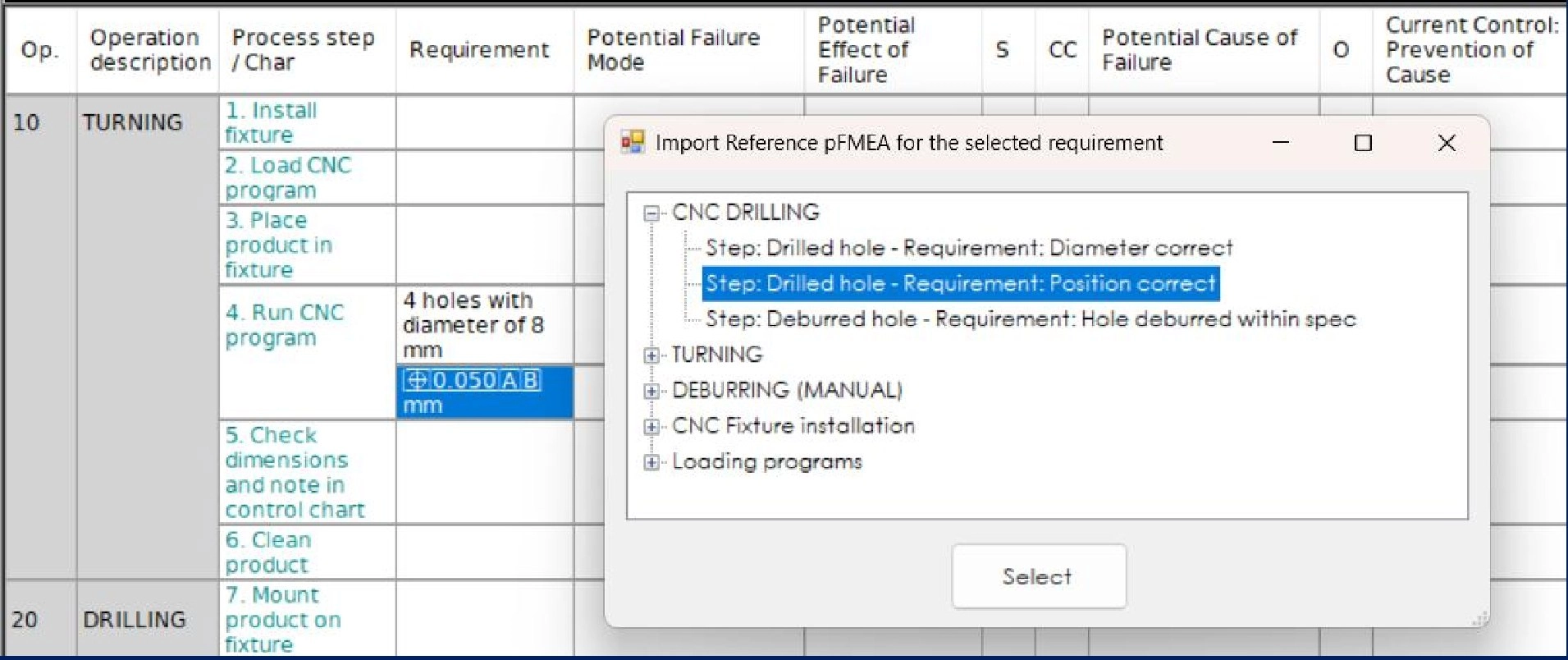
Solution: use reference or general FMEAs as the basis, and only add the product-specific parts.
3. Created once, never updated
The FMEA is created before the production start, for the customer or the audit, and then disappears into a folder. While the process does change.
A familiar example: an 8D is closed, but the FMEA is not updated. Six months later the same issue comes back, on a different shift.
Solution: make the FMEA part of your change process and of the follow-up of complaints.
4. Improvements do not reach every FMEA
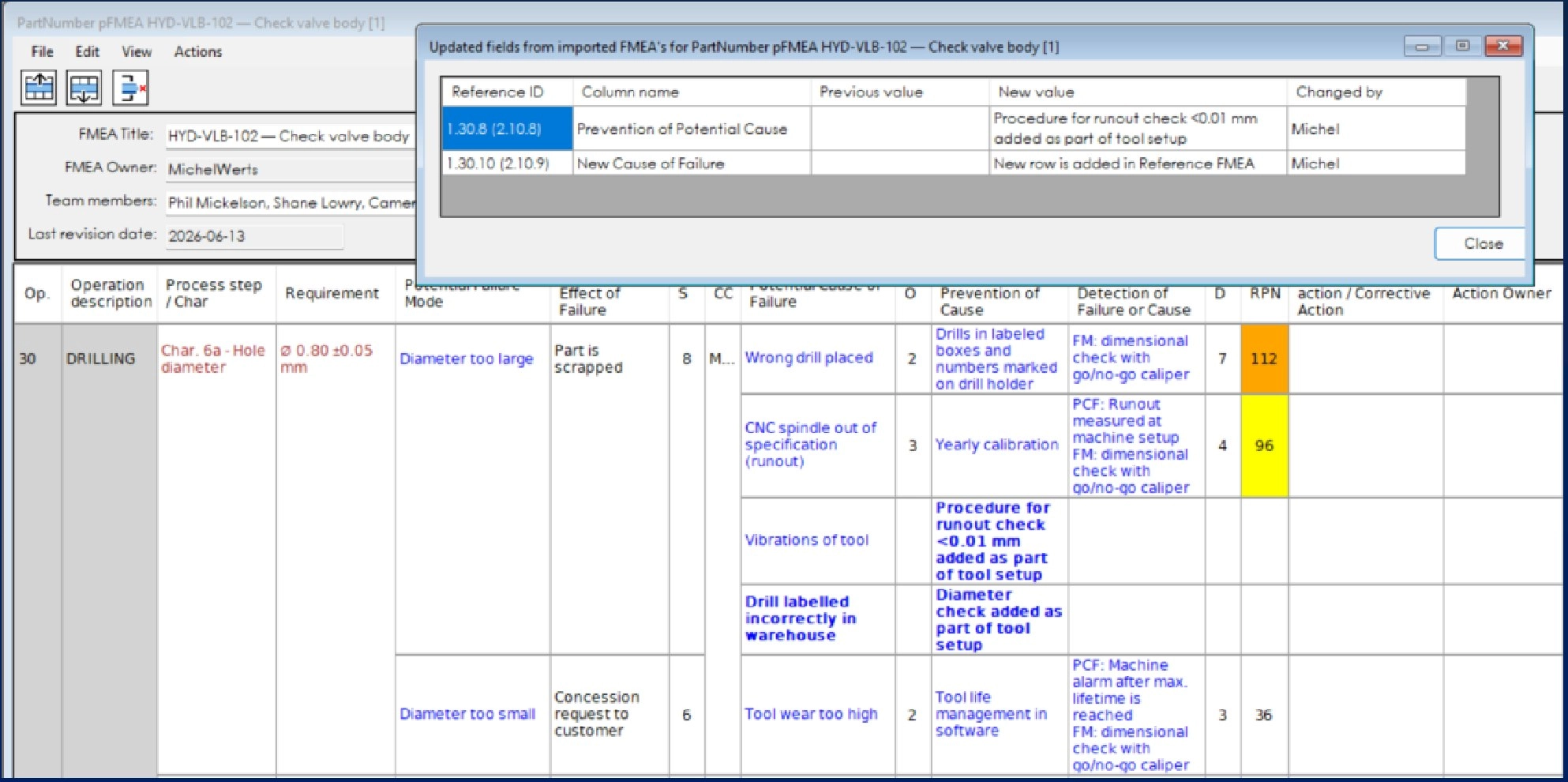
A lesson from a complaint is added to one FMEA. The twenty other FMEAs with the same process remain unchanged.
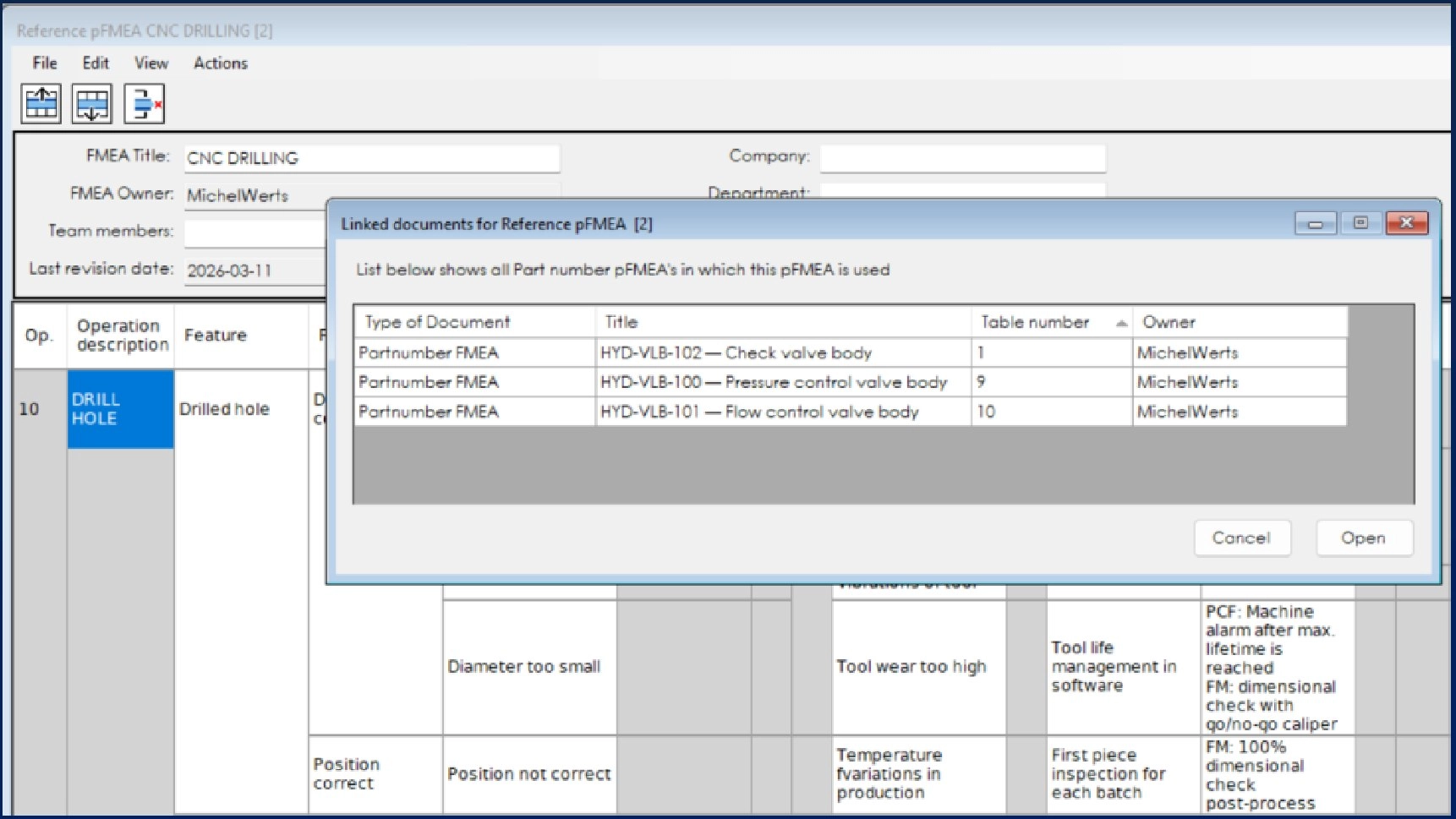
Solution: capture process knowledge in a reference FMEA that is linked to all part number FMEAs. An update then automatically reaches every FMEA.
5. PFD, FMEA and Control Plan not linked
A new process step in the Process Flow Diagram has to be copied manually into the FMEA and the Control Plan. That does not always happen, and the documents drift apart.
Solution: link the documents, so operation steps and characteristics stay synchronised. Read more in What is a Control Plan?
The goal is not a perfect FMEA on day one. It is an FMEA that gets better over time, because maintaining it is easy enough that engineers actually do it.
Excel or specialist software?
Specialist FMEA software solves these problems, but is often expensive, charges per user and requires a long implementation project. For many small and medium-sized companies that is too much. IQARUS is meant as a simple middle ground: linked documents and reference FMEAs, with a one-time license for an unlimited number of users.
Ready to get started? With IQARUS you create linked pFMEAs, Process Flow Diagrams and Control Plans, with reference FMEAs that keep everything up to date. Try IQARUS free for 3 months, no account needed.