Column 2 of a pFMEA, the process step or characteristic, defines what you are evaluating. Get it wrong and your failure modes become vague, your causes become generic, and the FMEA loses its value as a risk tool.
There is no single right answer, but the choice matters. In practice there are two approaches.
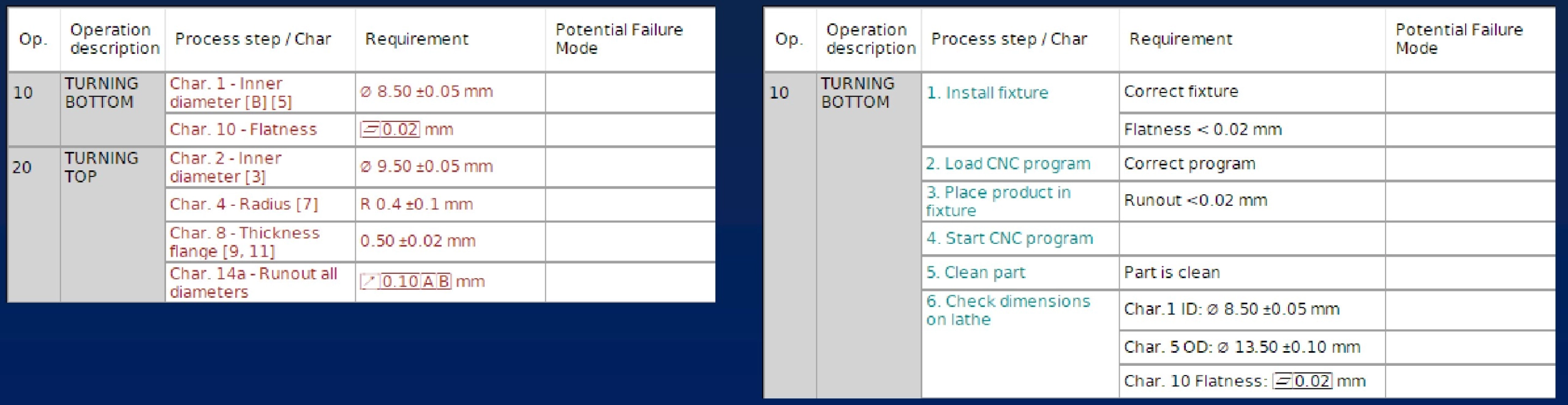
Approach 1: drawing features
Build-to-print: focus on drawing features. Evaluate each feature on the drawing: what is the risk if this feature is out of tolerance?
- Directly traceable to the drawing
- Easy to audit
- Required by AS13004 in aerospace
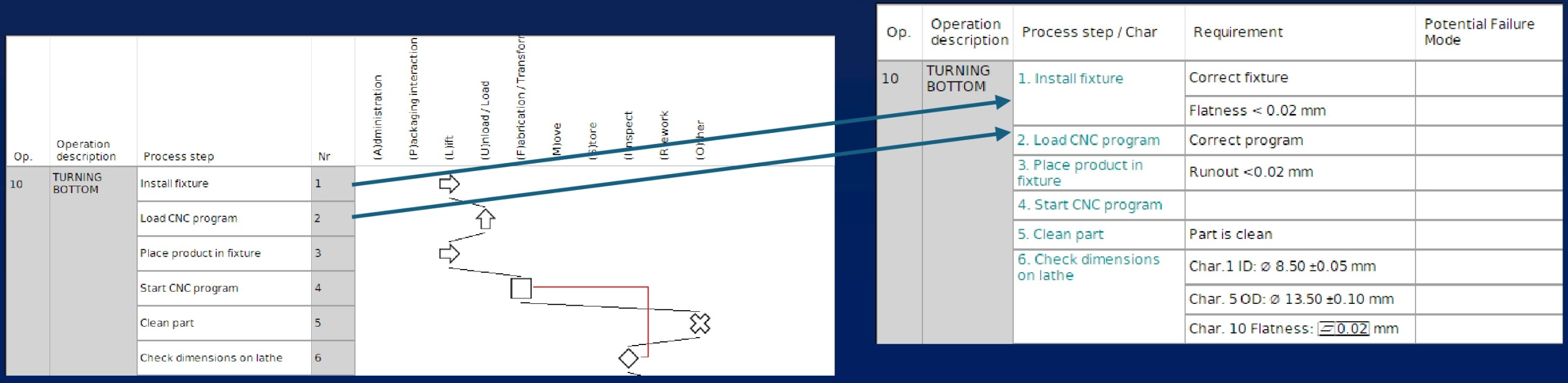
This approach starts from the Characteristics Matrix: every ballooned feature on the drawing becomes a line in the pFMEA.
Approach 2: process sub-steps
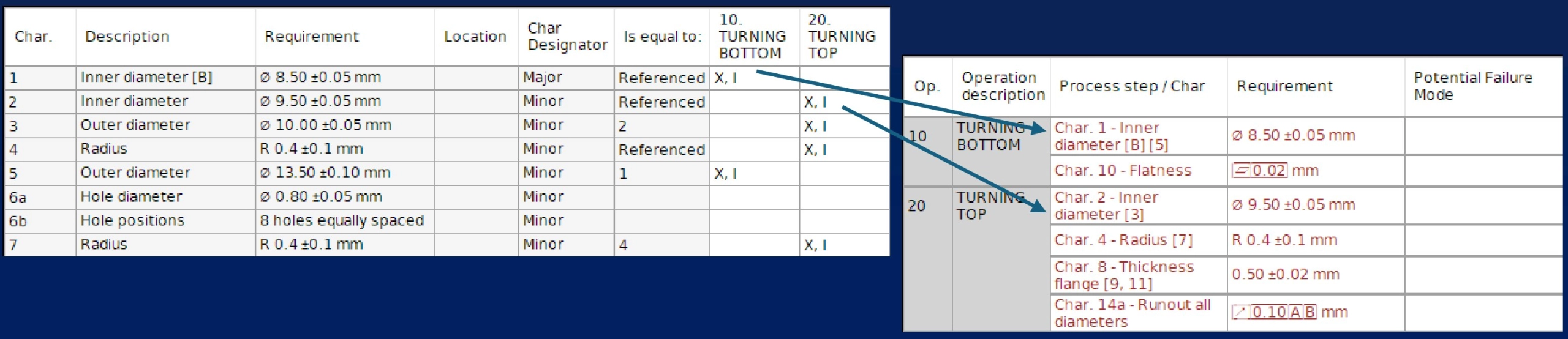
Process-focused: describe what the operator does. For each process step, describe each sub-step: machine setup, fixture installation, program loading.
- Easy to follow internally
- Causes are concrete and actionable
- Maps directly to the shop floor
This approach starts from the Process Flow Diagram: every sub-step becomes a line in the pFMEA.
How to choose
- Customer specifies a standard? Follow it.
- Producing to a drawing with many features? Use the characteristics-based approach.
- FMEA primarily an internal tool? Use the process-focused approach.
Whatever you choose: pick one method and stick to it. Mixing both makes the FMEA hard to read and harder to maintain.
Two approaches, one tool
Whether you start from a Characteristics Matrix or a Process Flow Diagram, IQARUS keeps your pFMEA synchronised and up to date automatically. See how in the Characteristics Matrix and Process Flow Diagram modules.
Ready to get started? With IQARUS you create linked pFMEAs, Process Flow Diagrams and Control Plans, with reference FMEAs that keep everything up to date. Try IQARUS free for 3 months, no account needed.